From Computer Room to Pocket Screen: A Short History of Going Online at Home
See how home internet moved from one fixed computer to pocket screens, and why the changing setting reshaped access, attention, and everyday household friction.
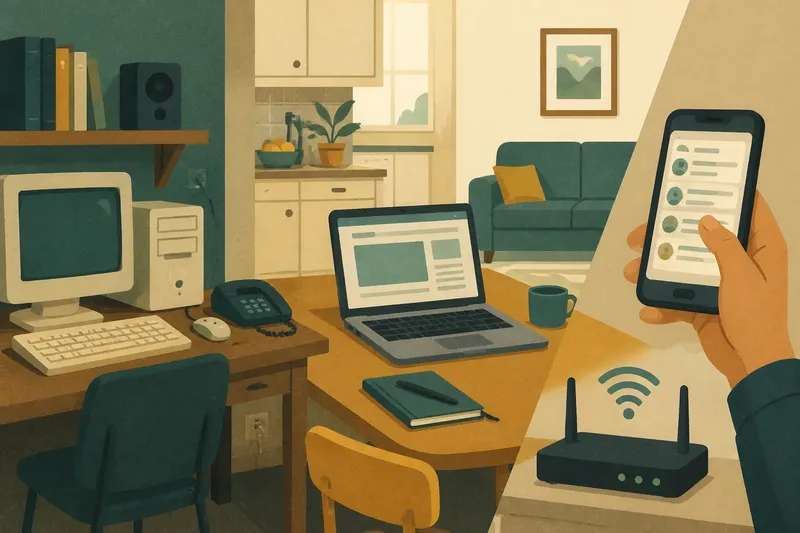
The familiar mistake in telling the story of home internet is to treat it as a parade of faster machines. The more revealing change was where a person had to be to get online: first near a household computer, later within reach of a pocket screen. That shift changed not only access, but also the small frictions families encounter when a connection follows people from room to room.
Why did the computer room shape early home internet?
For many households, going online began as a trip to a particular place. A desktop computer sat on a desk, often in a shared room or a corner chosen for its power outlet, phone connection, and sturdy surface. Its monitor, keyboard, speakers, and cables made the setup feel more like a workstation than a portable appliance.
The location gave internet use a visible beginning and end. Someone sat down, turned on the computer, and occupied the desk. Other household members could see that the machine was in use, ask to take a turn, or wait nearby. That arrangement made access scarce in a practical sense: there might be one computer, and it could serve only one user comfortably at a time.
Connection itself could reinforce the sense of a dedicated session. In homes using dial-up service, the computer connected through a phone line, so getting online involved a recognizable sequence and could interfere with ordinary telephone use. The exact arrangement varied by service and household, but the broader pattern was clear: online time had a place, a device, and often a deliberate start.
What changed when internet access moved around the house?
Wi-Fi loosened the link between the connection and the desk. A laptop could be carried to a kitchen table or sofa, while a wireless router sent internet access into more parts of the home. The computer was still a distinct device, but its user no longer had to remain in the room where the connection entered the house.
This made the home’s existing rooms part of the online environment. A person could check a recipe beside the counter, read in a quiet bedroom, or bring a laptop into a shared living area. Instead of one designated place for internet use, households gained several possible places, each with its own interruptions, noise, and expectations of privacy.
The shift also made connection less ceremonious. A laptop could stay open between tasks, and a user might move between online and offline activity without formally ending a session. The household computer had not disappeared, but the idea of “going online” began to describe an activity that could happen alongside other parts of domestic life.
How did the pocket screen change the meaning of being online?
Smartphones brought internet access onto a device designed to travel with its owner. A person could read a message while waiting in the hallway, check a transit update before leaving, or look up a detail without sitting down at a computer. The screen was smaller, but its location was no longer set by furniture or a household’s shared equipment.
That portability changed the boundary between online time and ordinary time. A desktop session had a visible setting; a phone could be used in brief moments scattered through the day. The same person might move from a kitchen conversation to a screen and back again, while the device itself remained close at hand. Connection became less like a destination and more like an option carried from one setting to another.
Personal screens also changed who controlled access. A household desktop was commonly shared, while a phone was more likely to belong to one person. That did not make every online activity private, nor did it remove shared devices from homes. It did mean that access could be shaped by an individual’s device, habits, and account rather than by turns at a central computer.
What friction followed access into every room?
When a screen occupies a fixed desk, its presence is easy to notice. A phone can be present without being obvious to everyone in the room. This makes it harder to tell whether someone is listening, working, waiting, or absorbed in something else. Household misunderstandings can arise not from the internet itself, but from different assumptions about what a person’s attention means.
Portable access can also blur shared boundaries. A device used for a personal message may be sitting beside a family meal; a phone used for a household task may contain private notifications. The same screen can serve several purposes, and people around it may not know which one is active. A useful response is to make expectations specific: for example, agree that someone will say when they need a few uninterrupted minutes, rather than treating every glance at a screen as evidence of disengagement.
Another friction is uneven access. A household may have strong Wi-Fi in one room and a weak signal in another, or one person may rely on a phone while another needs a larger screen for a task. These differences can make “the internet is available” an incomplete description of who can comfortably use it and where. The setting still matters, even after the computer leaves its dedicated room.
How can households adapt without turning every screen into a rule?
It helps to distinguish a device’s physical place from the activity it supports. A laptop on the dining table might be needed for a form; a phone in the same place might be used for a personal conversation. Rather than setting a broad rule around the device, households can identify the moments that need shared attention, quiet, or a clear surface.
Small choices can make the change in setting easier to live with:
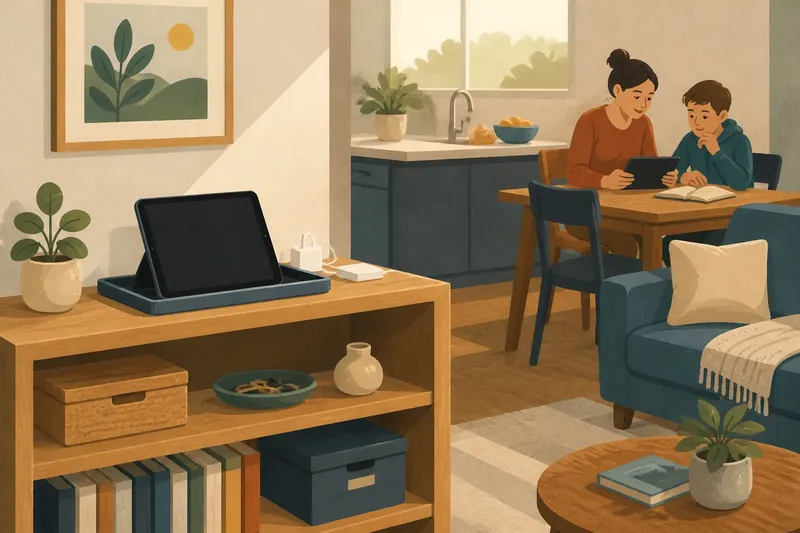
- Choose a landing place for charging. A shelf or counter can keep cords from spreading across a shared table without requiring every device to stay there.
- Name rooms where conversation takes priority. A household might reserve a meal for talking, while allowing screens for practical tasks at other times.
- Make signal limits visible. If the connection is unreliable in a bedroom, say so when choosing where to do a task instead of assuming the user is ignoring a request.
- Separate shared equipment from personal screens. A desktop can remain available for tasks that benefit from a larger display, while phones serve individual needs.
- Ask before assuming availability. A person holding a phone may be handling a household errand, reading privately, or simply taking a pause; a brief question is clearer than guessing.
Say a household’s only reliable connection is beside a desk in the spare room, and one member often takes calls there while another needs the space for a quiet online class. They could agree to reserve the desk during the class and move calls to a laptop in the living room when possible. The observable result to look for is fewer interruptions at that desk, not a claim that every conflict will disappear.
What questions help explain the move from computer room to pocket screen?
Did home internet once require a dedicated room?
Not in every home, but desktop equipment often made a fixed place convenient. The computer, its cables, and its connection helped turn internet use into a visible activity centered on one surface.
Did Wi-Fi make online access fully portable?
Wi-Fi let compatible devices connect without a cable to the router, making it easier to move around the home. Signal strength, device type, and household layout still influenced where access worked well.
Why does a phone feel different from a desktop computer?
A phone is personal and easy to carry, so online activity can happen in short intervals and in many settings. A desktop usually stays put and presents a clearer boundary between the person using it and others in the room.
Did pocket screens replace household computers?
No single pattern fits every home. Phones handle many quick tasks, while a larger computer can remain useful for typing, managing files, or viewing several things at once.
What does this history reveal about home internet now?
The move from computer room to pocket screen was a change in setting as much as a change in hardware. The first arrangement concentrated access in one visible spot; later devices spread it through rooms and into the spaces between household routines. That history explains why arguments about screens often concern attention, privacy, and shared space rather than technology alone.
When deciding how a home should handle internet use, notice where a task happens and who else depends on that place. The phrase “home internet” can mean a desktop at a desk, a laptop on the sofa, or a phone in someone’s hand. Asking which setting a person needs is often more useful than asking whether they are simply online.